
Markarian’s Chain
 Click image for full size version
April 29, 2026
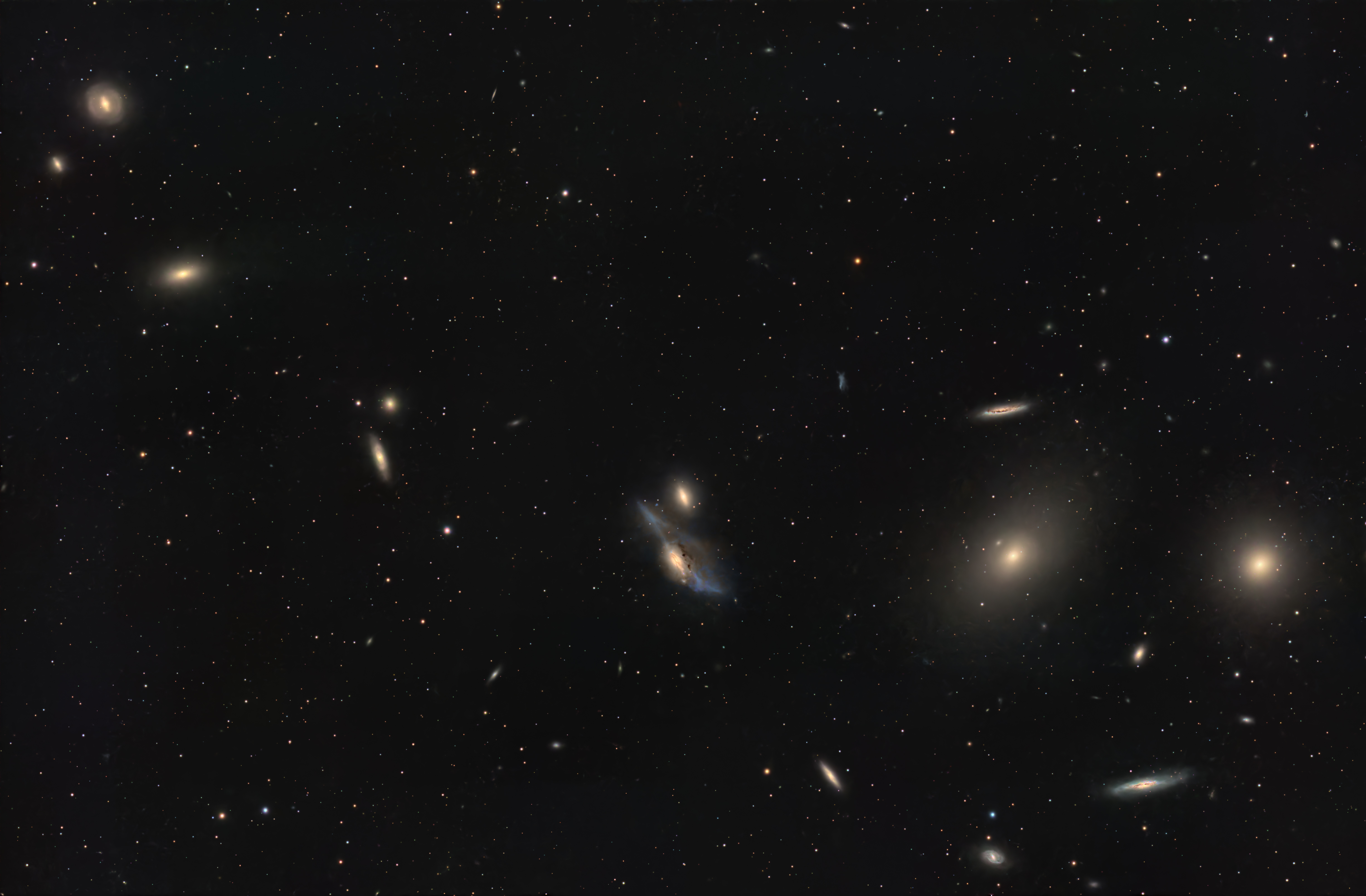
Markarian’s Chain is the name of the curved chain of galaxies that arcs through this image. This chain is part of the Virgo Galaxy Cluster, the centre of which is about 54 million light years away. The Virgo Cluster contains about 1,500 galaxies and is estimated to have a total mass of about 10 quadrillion times the Sun’s (1 quadrillion = 1 million billion). This image captures just a small portion of the Virgo cluster. I also imaged this chain of galaxies in a much wider field almost a decade ago.
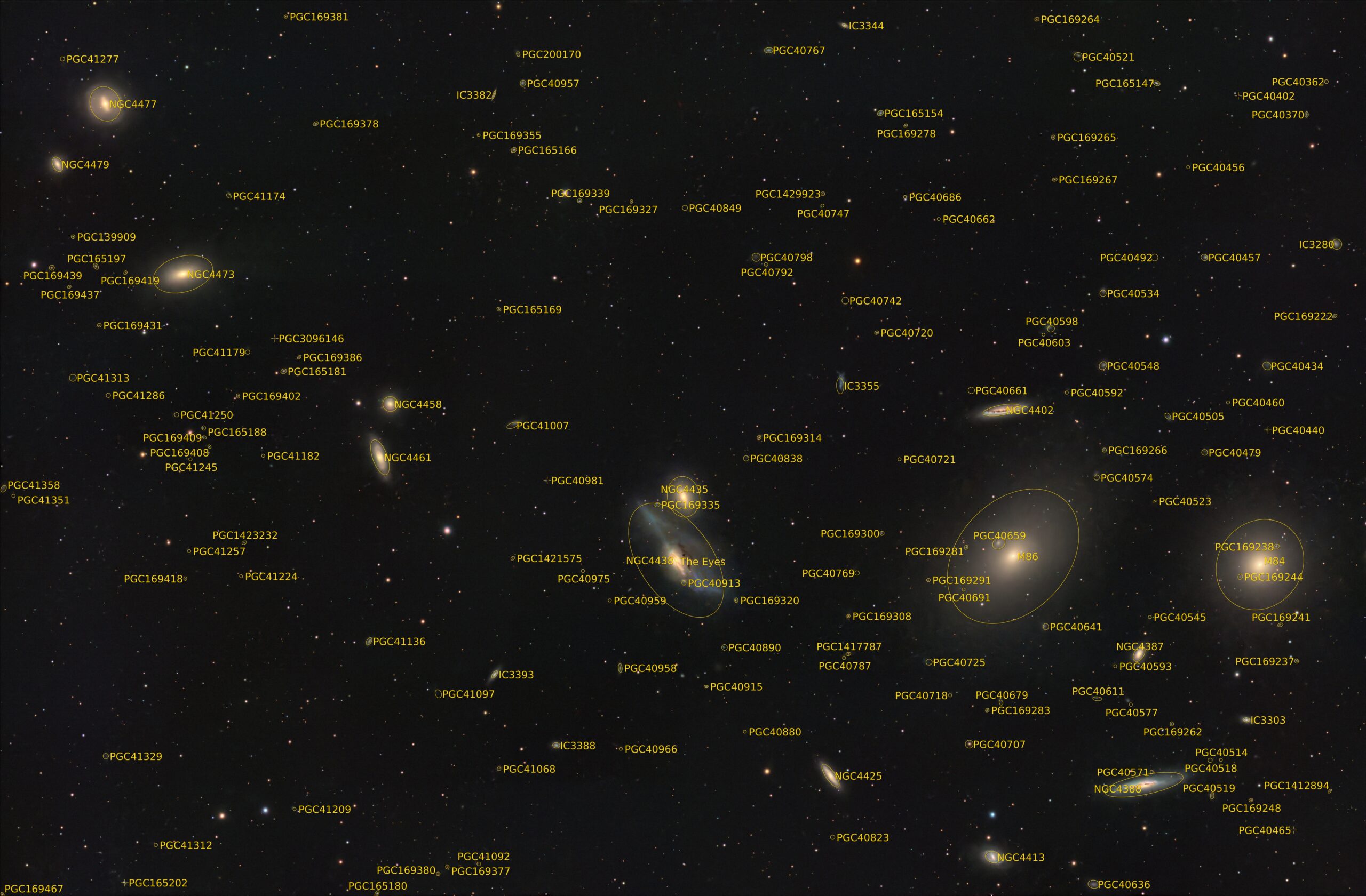
Note the striking colour and detail in NGC 4438 and NGC 4435, which make a close pair of galaxies known as “The Eyes,” just below centre in this image. NGC 4438 is the larger, more blue galaxy of the pair. I prepared an annotated image that shows many of the galaxy identifiers.
Tekkies:
Acquisition, focusing, and control of Sky-Watcher Wave 150i mount and other equipment with N.I.N.A. and Green Swamp Server. Primalucelab 3″ ESATTO focuser, ARCO rotator, GIOTTO flat panel and ALTO cover motor. Equipment control with Primalucelab EAGLE 6 Pro computer. All pre-processing and processing in PixInsight. Acquired from my SkyShed in Guelph. Acquired under above average transparency and seeing and moderate moonlight from April 19 – 27, 2026.
Sky-Watcher Esprit 120, QHY168C camera, Optolong L-Quad Enhance filter.
115 x 5m = 9hr 35m
Preprocessing: The WeightedBatchPreProcessing script was used to perform calibration, cosmetic correction, debayering, weighting, registration, integration and Drizzle integration of all frames (2x drizzle, 0.9 Drop Shrink, Circular kernel).
Gradient Removal: DynamicBackgroundExtraction was applied to remove gradients and must of the colour imbalance.
Colour Calibration: BlurXterminator was applied to the RGB master with Correct Only selected, followed by SpectrophotometricColorCalibration.
Deconvolution: BlurXterminator was applied to the RGB master with Automatic psf , star sharpening set to 0.5, and non-stellar set to 0.9.
Linear Noise Reduction: NoiseXterminator was applied with settings Amount=0.9 and Iterations=4.
Stretching: MultiscaleAdaptive Stretch was applied to make a pleasing image with background approximately 0.1.
Nonlinear Processing
Star Removal: StarXterminator was used to remove the stars from the master using default settings, except Large Overlap was selected. The stars-only image was retained and processed as described below.
Nonlinear Noise Reduction: NoiseXterminator was applied to the starless image with Amount=0.9 and Iterations = 4
Re-stretch: HistogramTransformation was used to boost contrast in the starless image by raising the dark point about halfway to the toe of the histogram and slightly decreasing the mid-point slider.
Contrast Enhancement: LocalHistogramEqualization was applied twice. A Contrast Limit of 1.5 and 1 iteration was used for each LHE application (scale 50, strength 0.25; scale 300, strength 0.18).
Sharpening: MultiscaleMedianTransform was applied. (Layers 2 – 4 with strengths of 0.01 0.02, and 0.02 respectively).
Contrast, Brightness and Colour: Brightness, contrast, hue, and saturation were adjusted in several iterations using CurvesTransformation.
Stars-only steps: The CIE L* channel (i.e. the lightness channel) was extracted from the stars-only image using ChannelExtraction and was then applied to the star image as a mask. CurvesTransformation’s Saturation slider was used to boost colour in the stars.
Star Restoration: The PixelMath expression combine(starless, stars, op_screen()) was used to combine the starless starless image with the stars-only image.
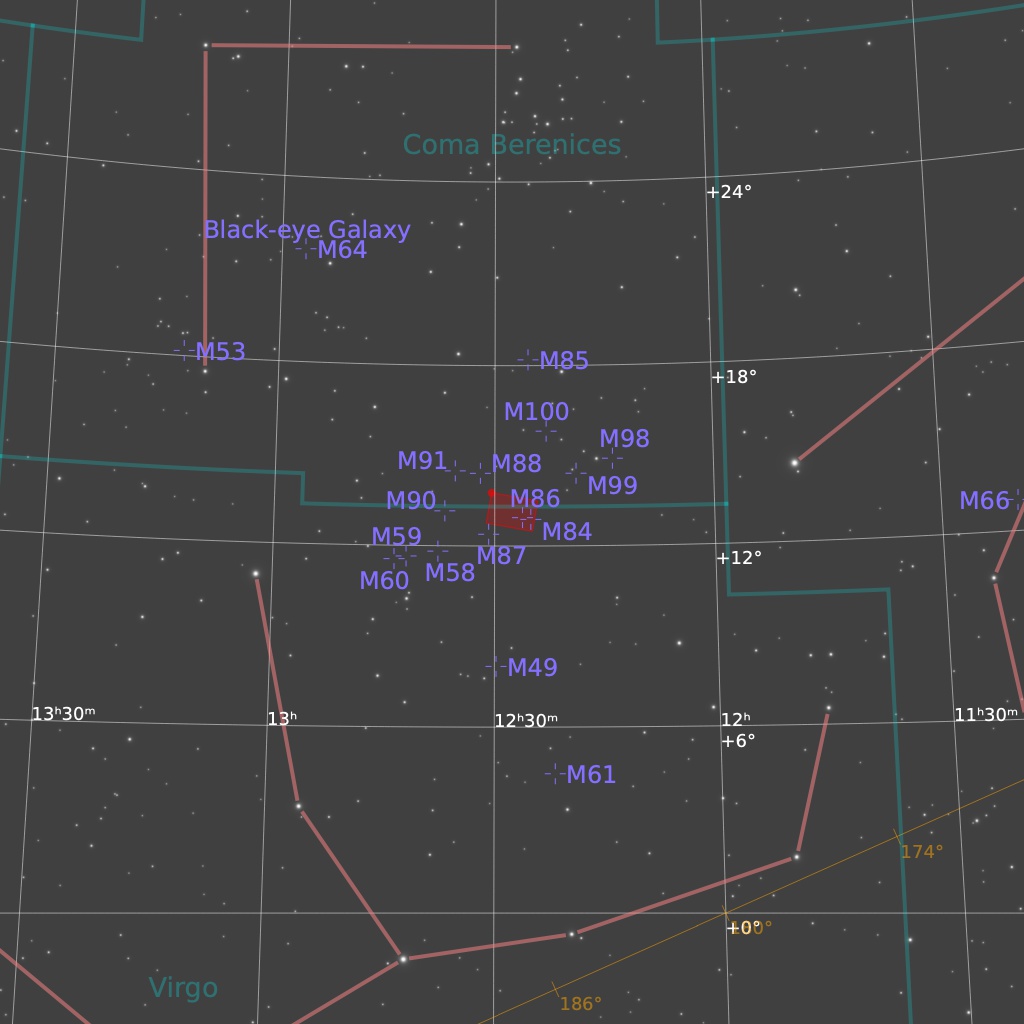
Final Steps: Background, galaxy, and star brightness, contrast, and saturation were adjusted in several iterations using CurvesTransformation with masks as required. ICCProfileTransformation (sRGB IEC61966-2.1; Relative Colorimetric with black point compensation) was applied prior to saving as a jpg. The finder chart was made using the FindingChart process. The annotated image was made with the AnnotateImage script.

woo hoo baby ~ woo hoo!